TimeWriter Standard offers various export options, arranged in various groups. Select Reporting | Exports in the Module explorer.
TimeWriter is supplied with a series of Default exports. These are located in a separate table and cannot be customised. You can generate exports on booked hours, master data, leave and budgets. You can use the default exports but you can also create your own exports as long as you are authorised to do so.
TimeWriter includes the following export formats:
Extension |
Description |
.csv |
Comma separated text file |
.xls |
Excel '97 - 2003 file |
.xlsx |
Excel 2007 and newer file |
.ods |
Open document Spreadsheet |
.txt |
Tab-separated text file |
.xml |
XML file |
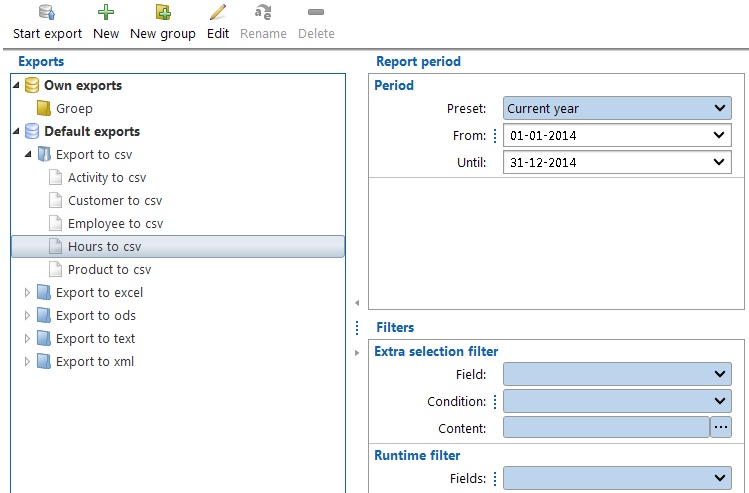
Creating an export
1.Select the correct export group from the list.
2.Select an export from the group.
3.Double click the export or click button Start export.
4.A dialog will show where you can enter the required period and/or the required Extra and/or Runtime filters (see also Selection filters).
5.Click the Start export button of the dialog to generate the export.
6.Files are saved in the folder set up in Maintenance and settings | Settings | Reporting. Default for this is the Default user documents folder (in Windows: My Documents of Documents).
Designing/changing exports
See Report designer.